How to watch movies together online, step by step
“Let's watch a movie together” is easy on the same couch. It's harder when one of you is in Tehran and the other in Toronto. This guide compares the three common methods, then walks you through watching in sync in a few minutes.

Creating a watch-together room in Kinoo 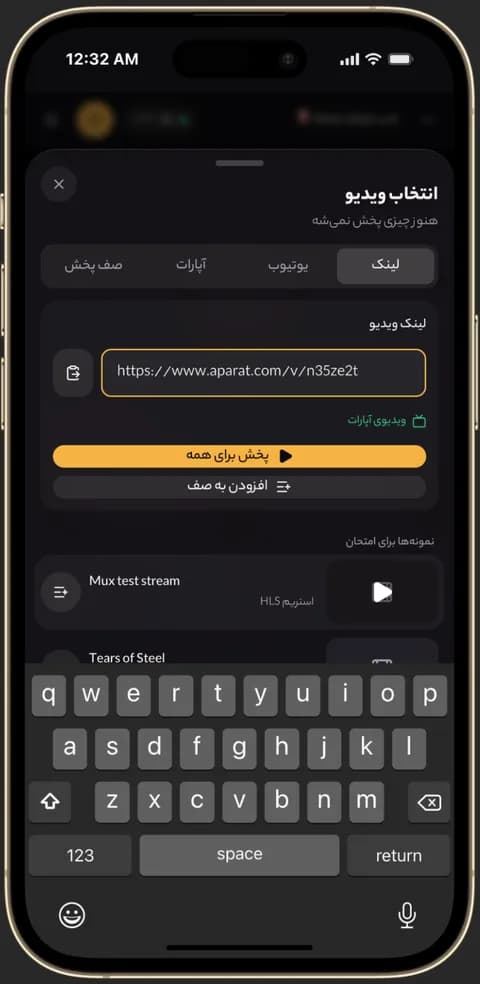
Pasting an Aparat or MP4 link into a Kinoo room 
Video playing in sync in a Kinoo room on a phone
Method 1: count down and press play
Everyone opens the movie on their own device and you count “three, two, one, play” on a call. It's free, but one person buffering or pausing is enough to drift everyone apart.
Method 2: screen sharing on Google Meet or Discord
One person plays the movie and shares their screen. Everyone sees the same picture, but quality depends on that person's upload speed and often turns blocky and choppy.
Method 3: a watch-together room
The movie plays in an online room where each person streams it directly; only play, pause and seek are shared. Full quality for everyone, no countdown. That's how Kinoo works.
Step by step with Kinoo
1) Create an account and a room. 2) Add the movie: a YouTube or Aparat video, an MP4 file or an M3U8 stream. 3) Add subtitles if you need them. 4) Send the room link in any chat. 5) Press play when everyone's in; it plays for all of you at once.
Keep the sound clean
Ask everyone to wear headphones so the movie doesn't loop into microphones, mute during quiet scenes and react in the text chat. Room voice chat opens with the room owner's Basic plan or higher.
How to get started
- 1
Create a room
New accounts get 7 days of the Pro plan.
- 2
Add the movie link
YouTube, Aparat, MP4 or M3U8, with subtitles if needed.
- 3
Share the room link
Guests join free and you watch in sync.
Frequently asked questions
How can we watch a movie at the same time in two cities?
Create a watch-together room and share its link. Each of you streams the movie on your own connection and playback stays the same for both.
Which app lets us watch movies together?
One that syncs playback and doesn't tie quality to one person's internet. Kinoo does this in the browser, with nothing to install.
Does everyone need an account?
No. Only the room owner needs a plan; guests join free through the room link.
Kinoo is ready when you are
Create a room and start watching together in a minute.